
HETHousehold Expenses Tracker
Household budget app - free expense tracking, no account
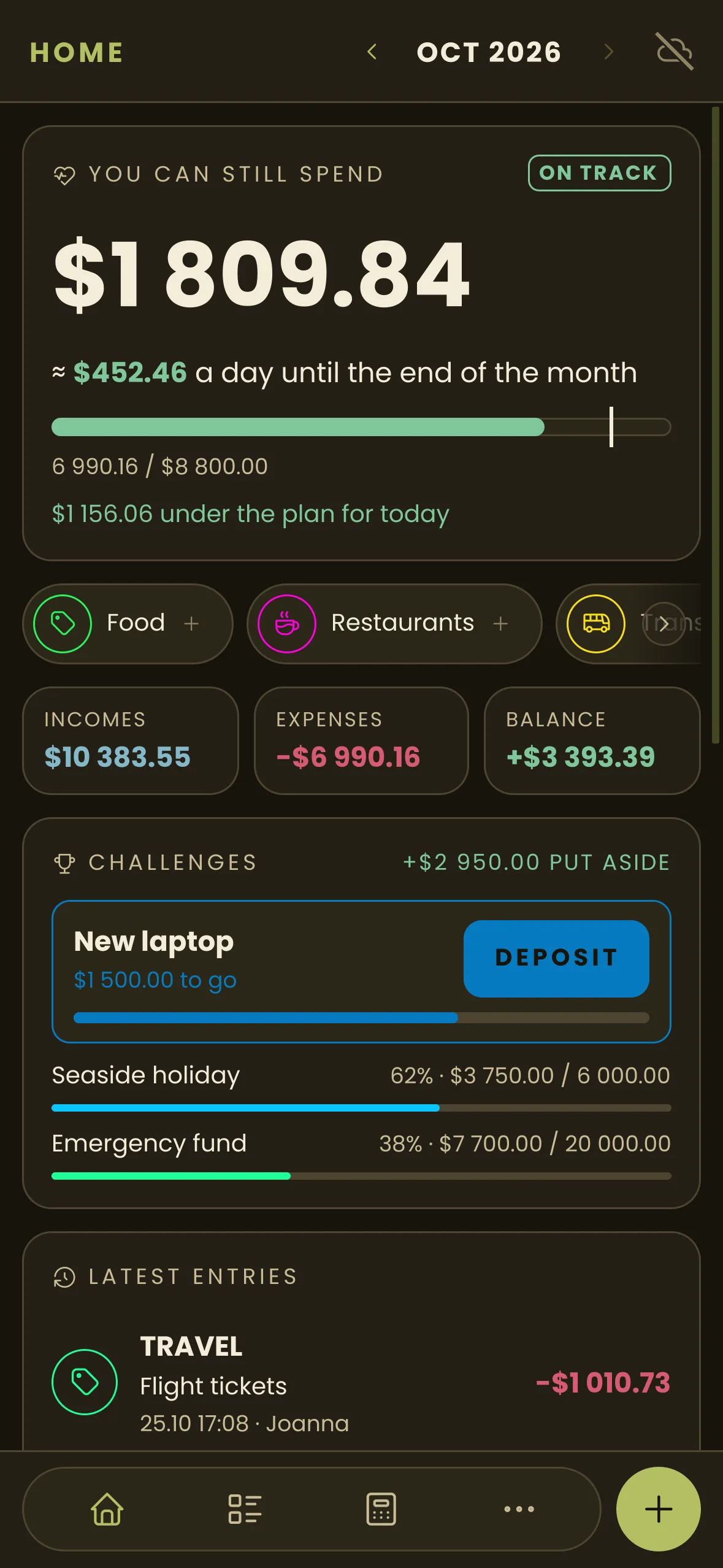
See what you can still spend this month, and how much a day. No account, no ads, your data stays on your phone.


Tap + to add an expense or the camera to scan a receipt. It's a mockup, nothing leaves your browser.
$1,824.82
≈ $304.14 a day until the end of the month
1,175.18 / $3,000.00
INCOMES$6,200.00
EXPENSES-$1,175.18
BALANCE+$5,024.82
- FoodBakery26.10 08:12 · Anna-$12.40
- TransportMonthly pass25.10 17:08 · Anna-$110.00
- BillsElectricity24.10 19:40 · Anna-$212.50
- ShoppingDrugstore23.10 18:25 · Anna-$38.90
Add an expense with +, scan a receipt with the camera next to it.
$0
Milk4.29
Bread6.50
Soap8.99
Chocolate5.49
Bag0.99
TOTAL26.26
Drag the corners to frame the receipt
It usually takes a few seconds
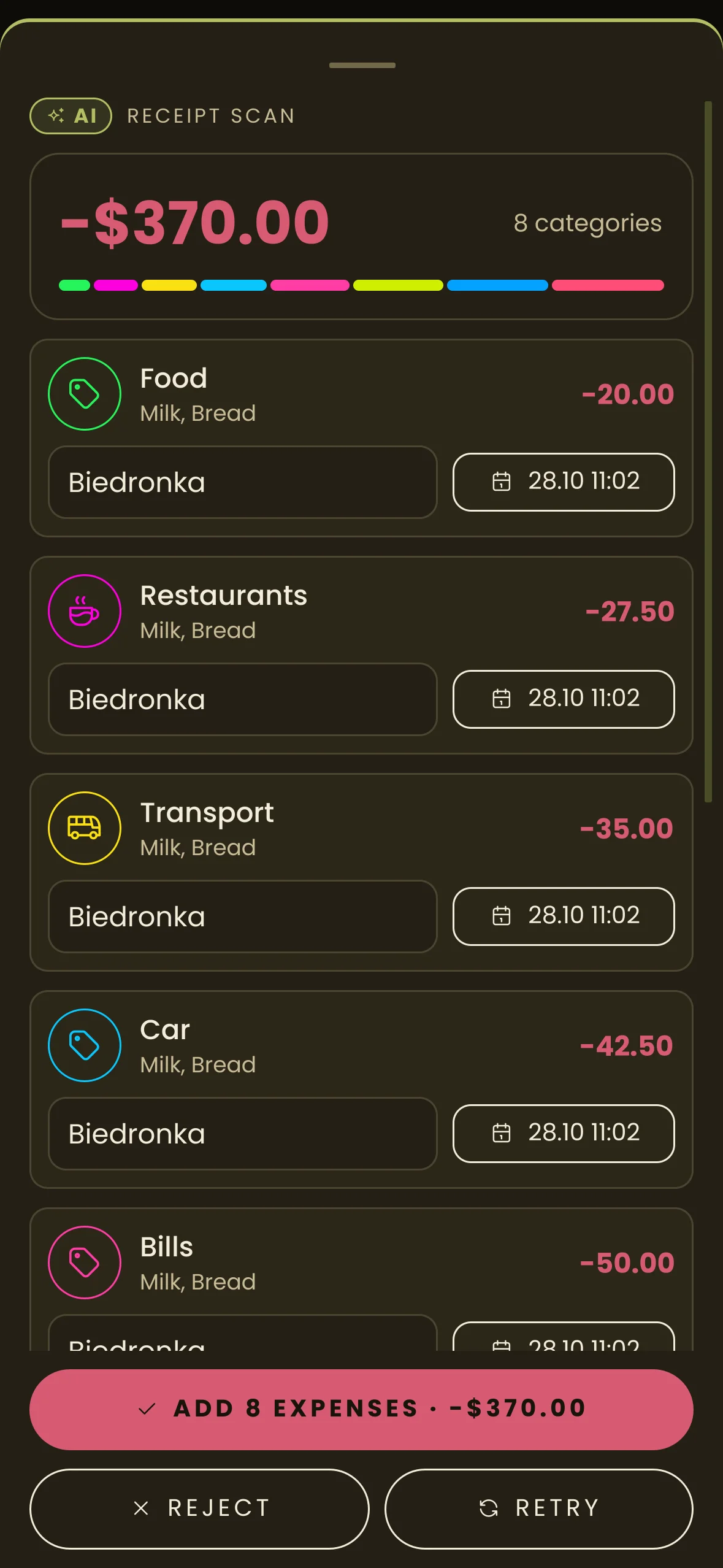
- FoodMilk, Bread, Chocolate-16.28
- ShoppingSoap, Bag-9.98
The result was prepared by AI and may contain mistakes. Check the amounts and categories before adding.
No catch
-
No ads
No banners. The free version stays free, no subscription.
-
No account
No sign-up, no email. Open it and start budgeting.
-
No tracking
No analytics, no trackers. Your budget stays on your phone.
-
Made in Poland
Built and maintained in Poland, with help in Polish and English.
What it does
-
AI receipt scan
A photo of a receipt turns into expenses split into your categories. 10 free scans a month, only with your consent.
-
Monthly budget
A plan per category and one number on top: what you can still spend, and how much a day until the month ends.
-
Income
Salary, benefits, bonuses, each in a category of its own.
-
Balance
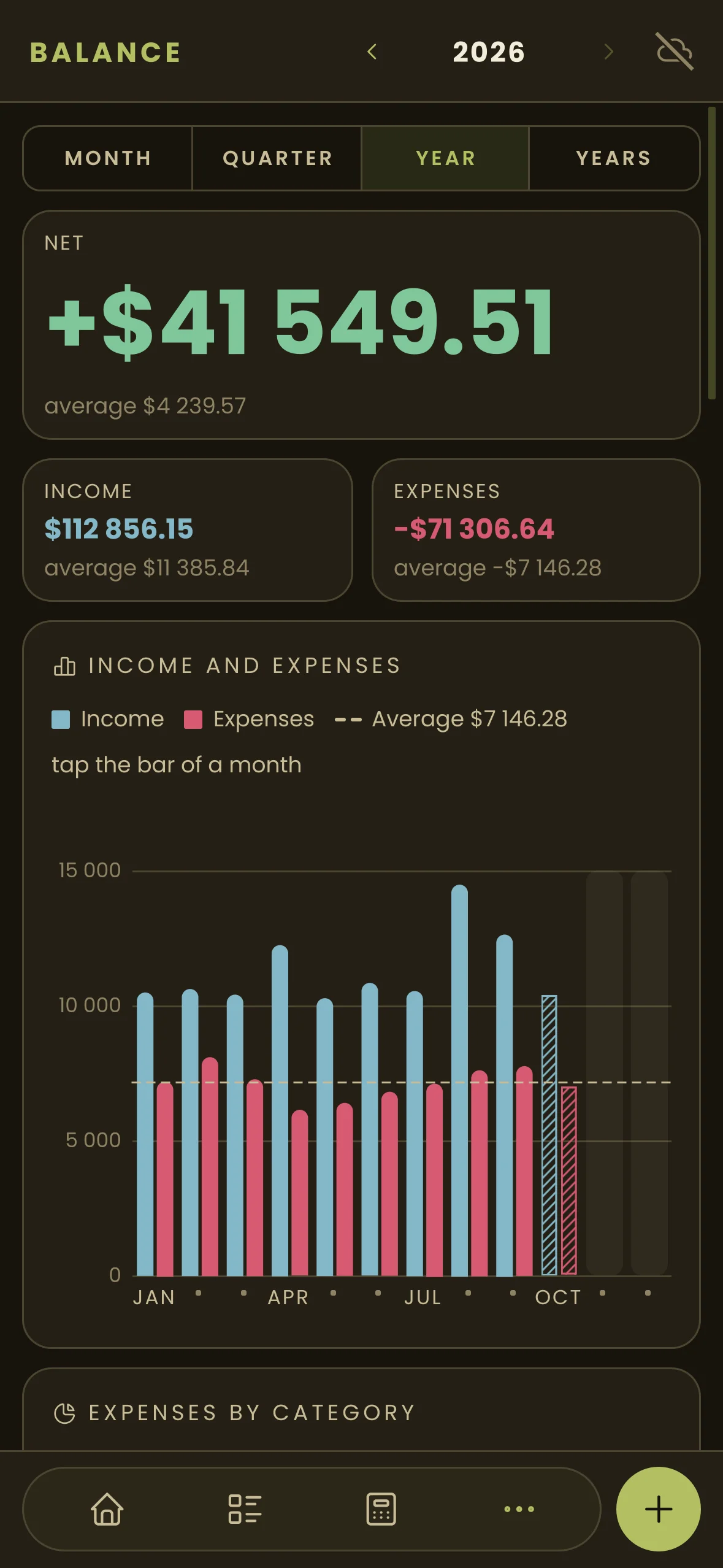
Month, quarter, year and years: what came in, what went out and where.
-
Challenges - savings goals
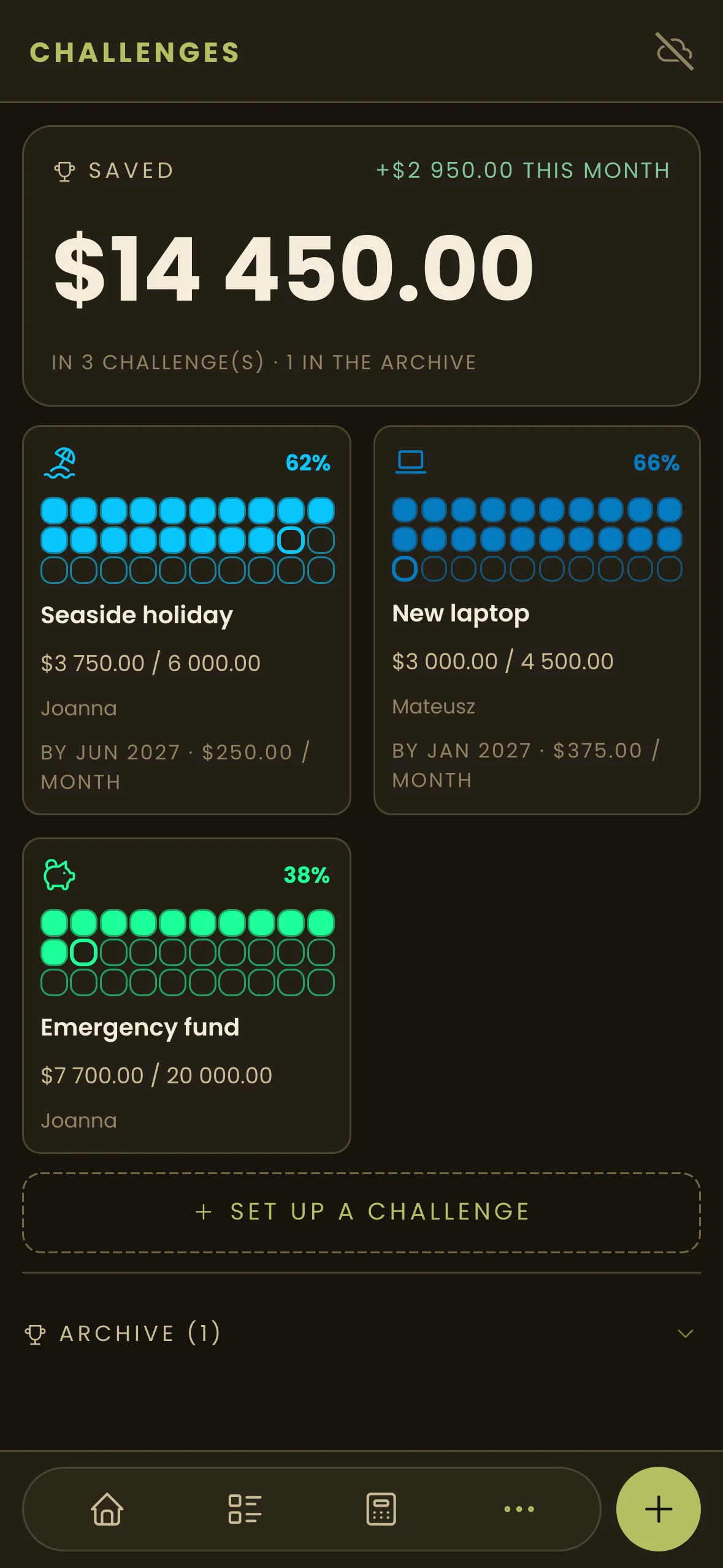
Savings goals with an amount and a date. Every deposit fills the bar.
-
Tags and filters
Up to 5 tags on an expense, a filter by categories and tags with the sum of what you see.
-
Ready in minutes
A wizard asks for your income, categories and plan, and sets up the rest. Ready-made categories with colours and icons.
-
Automatic backup
Once a month a new copy lands in a folder you choose, for example one synced with Google Drive. On a new phone you restore everything from it.
-
CSV export and import
Open the months you choose in a spreadsheet, fix them and load them back. A row with an ID edits an entry, one without adds a new one.
Screenshots
Questions
Is the app free?
Yes. No fees, no ads. The receipt scan has a free limit of 10 scans a month. Only future, optional extended services in HET PRO, such as sync between phones and a shared family budget, will be paid.
Does it work offline?
Yes. Budget, entries, balance, challenges, backup and export work offline. Only the receipt scan needs the internet.
What happens to the photo of a receipt?
Only after you agree does the app send the cropped photo and the category names through Cloudflare (network and security) and the HET scan service to Anthropic (the AI model provider) in the USA. The scan service does not save the photo or the result. Anthropic normally deletes the data within 30 days and does not train models on it. The result is marked as AI and you check it before saving. Privacy policy